

Practical systems for local businesses that need clear operations, better reports, and reliable support.
Chat on Viber
Sales, stock, purchasing, pricing, and reporting tools tailored for shops and service businesses.
View Portfolio
We help after launch with user support, improvements, troubleshooting, and business changes.
About CusAppCusApp builds practical business software solutions for local businesses. We focus on systems that are easy to use, reliable in daily work, and supported after launch.
Read MoreTravel agencies, retail shops, spare parts stores, construction material shops, and service businesses.
POS, inventory, payroll, travel management, mobile integration, and custom business systems.
We provide maintenance, troubleshooting, updates, and improvements as your business grows.
These screens are enough to show the real product direction: dashboard, sales entry, inventory, reports, finance, and mobile access.
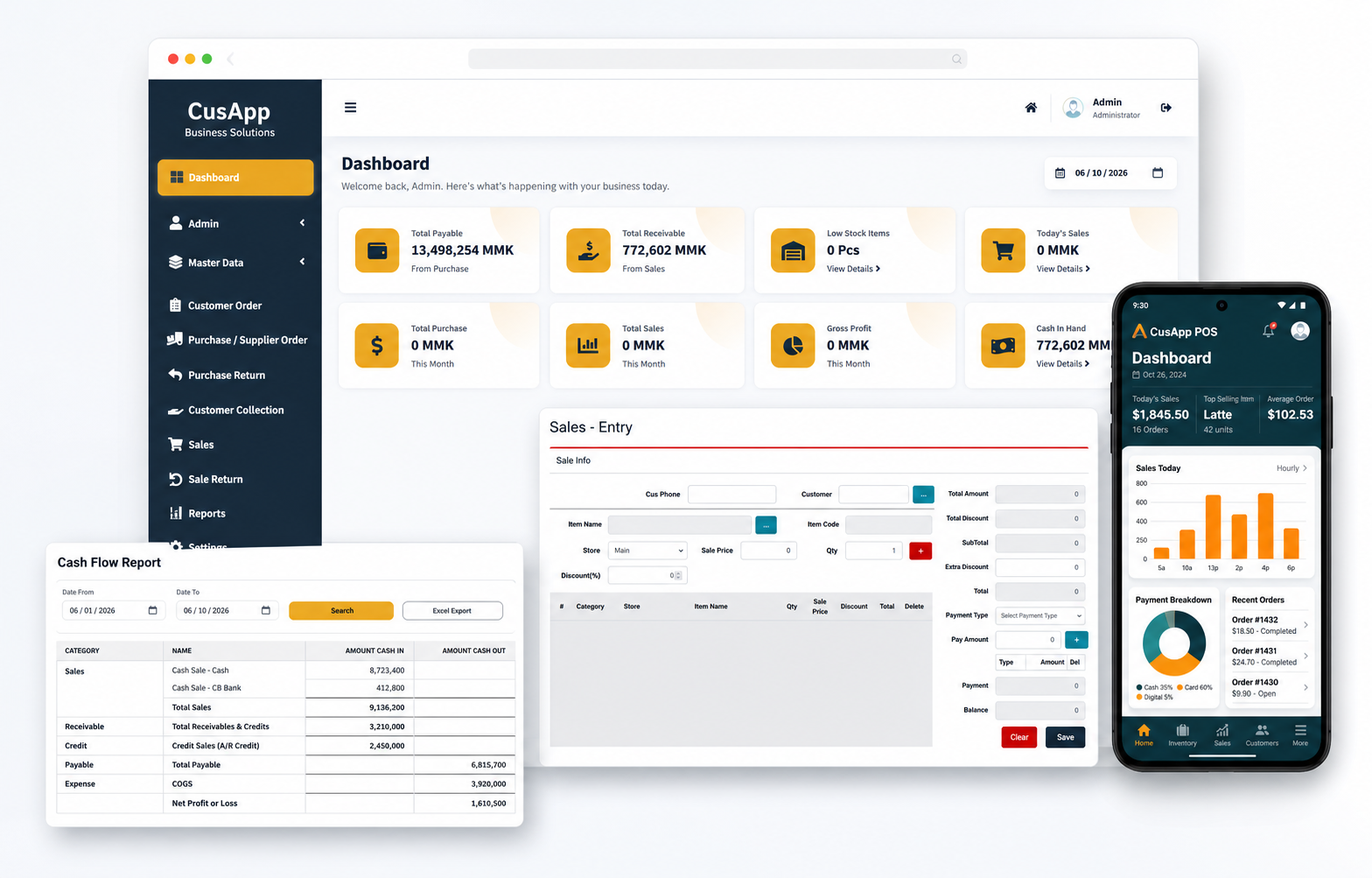
Sales teams can enter invoices quickly, stock teams can monitor inventory, and owners can check payable, receivable, cash flow, profit, and low-stock reports without waiting for manual summaries.
Daily sales, cash, stock alerts, payables, receivables, and profit snapshots.
Customer records, item search, discount, payment type, balance, and invoice flow.
Purchases, supplier orders, returns, stores, low stock, and item movement tracking.
Cash flow, sales, receivable, payable, expense, and business summary reports.
Software services designed around real business operations.
We build practical software solutions for travel agencies, retail shops, spare parts stores, construction material shops, and service businesses.
Short examples of the project categories CusApp builds for local businesses.
Bookings, customers, packages, and payments.
Sales, stock, purchases, and business reports.
Connected mobile workflows for customers or staff.
Employee, salary, deduction, and payroll summaries.
Material sales, supplier records, and stock control.
Parts catalog, billing, inventory, and reports.
CusApp systems are shaped around practical workflows, not generic templates.
POS, barcode, daily sales, stock, customer credit, and cashier control.
Parts search, supplier purchase, multiple prices, stock balance, and reports.
Construction item sales, purchase records, supplier balances, and delivery support.
Bookings, packages, customer payments, expenses, and trip summaries.
We build around the real tasks your team performs every day.
Business owners get useful records for sales, stock, payroll, and operations.
We continue helping with maintenance, fixes, and improvements after launch.
Understand business workflow.
Create and test key features.
Set up and guide users.
Maintain and improve.
A complete working setup with training, support, and future improvement options.
Tell us what your business needs to manage, track, or improve.